Most design systems become component graveyards. This guide shows how to build one in Figma that teams actually adopt: from tokens to theming to ship-ready components.
Here’s a pattern you’ve probably seen: a design team spends three months building a component library. It’s beautiful. The spacing is perfect. The variants are thorough. Six months later, nobody uses it. Designers detach components “because it’s faster.” Engineers build their own versions because “the Figma one doesn’t match the code.” The system exists in Figma. The product exists somewhere else.
This happens because most design system guides focus on what to build. The hard part was never building components. The hard part is building components that survive contact with real projects, real deadlines, and real people who didn’t design them.
This guide starts from the real problem.
Why Most Design Systems Fail
They fail at adoption, not at craft.
A design system succeeds when three things are true: designers use it by default (not by mandate), engineers trust it enough to not rebuild it, and it updates without breaking things. Everything else: the beautiful documentation site, the component showcase, the naming convention debate: is secondary.
The most common failure modes:
- The museum problem. The system is perfect but untouchable. Making a change requires three approvals, so designers work around it instead.
- The translation gap. Figma components don’t match code components. Names are different, properties are different, states are different. Two systems pretending to be one.
- The coverage trap. The system tries to cover every edge case before shipping. It takes so long that the product evolves past it.
- The style guide disguise. What’s called a design system is actually a color palette and a font choice. There’s no structure underneath.
If you’ve been through any of these, this guide is for you.
The Foundation Layer: Tokens Before Components
Don’t start with buttons. Start with decisions.
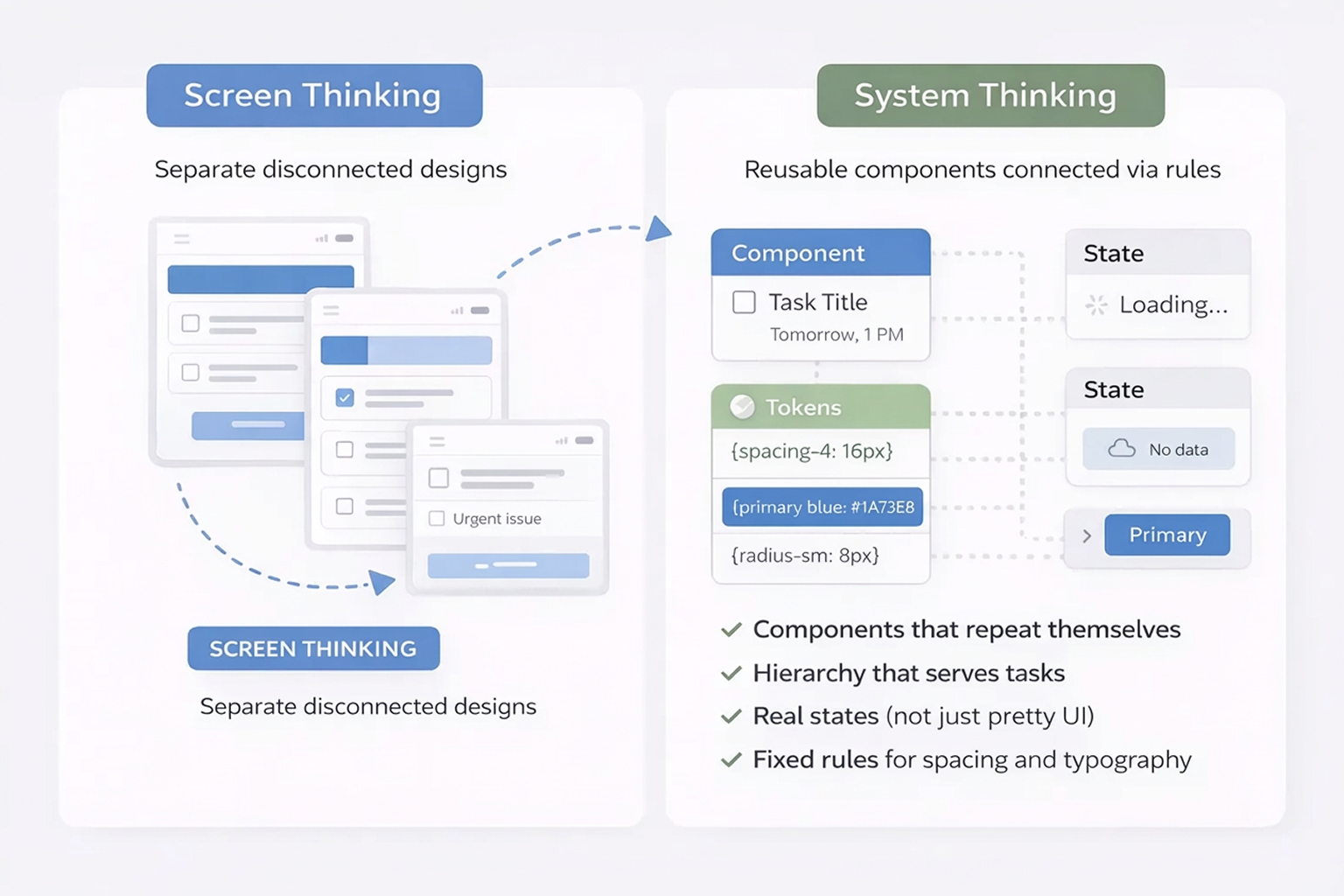
Design tokens are the atomic decisions that everything else is built from. Before you draw a single component, define the values that your entire system shares.
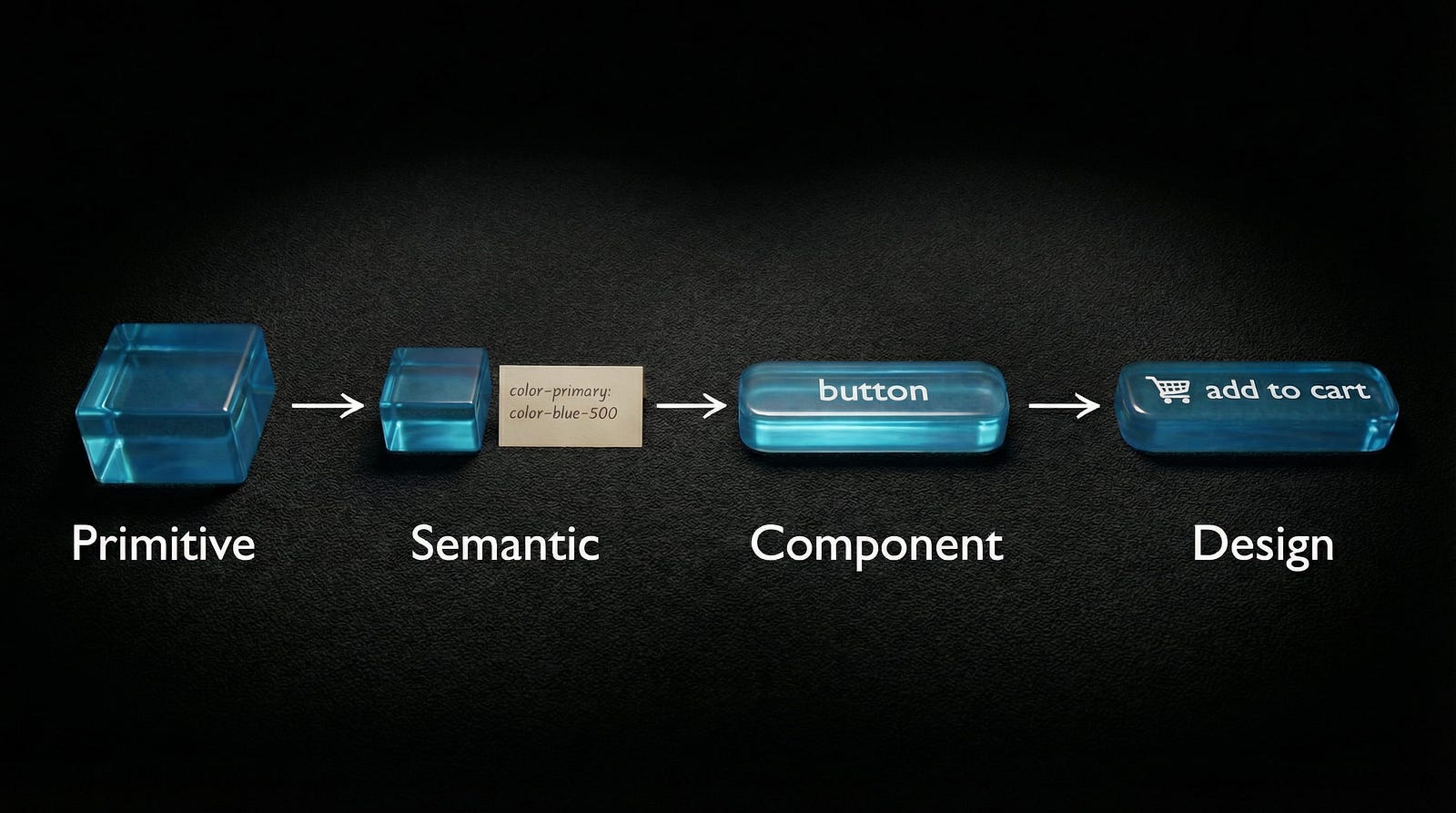
The three-tier token architecture:
Tier 1: Primitive tokens, the raw values.

These are your actual numbers and colors. They answer the question “what exists?”
color-blue-500: #0835fbspacing-4: 16pxradius-sm: 4pxfont-family-sans: Inter
You never apply these directly to designs. They’re the ingredient list.
Tier 2: Semantic tokens, the purpose layer.
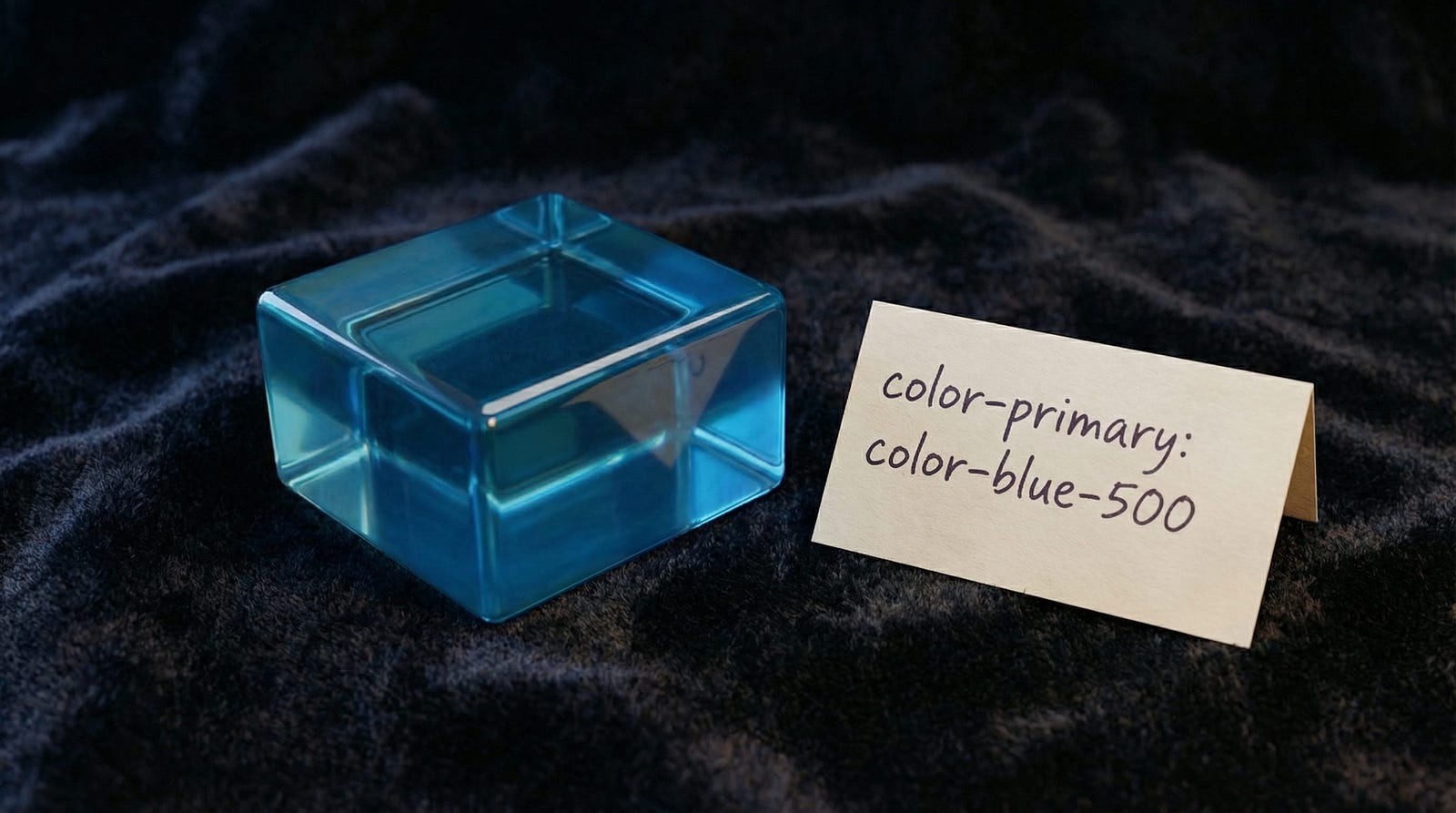
These reference primitives but add meaning. They answer “how should this be used?”
color-primary: color-blue-500color-text-muted: color-gray-400spacing-section: spacing-8radius-input: radius-sm
This is what you apply to designs most of the time.
Tier 3: Component tokens, the specific layer.

These reference semantic tokens and map to exact component properties. They answer “where exactly does this go?”
button-primary-bg: color-primaryinput-border-color: color-border-defaultcard-padding: spacing-section
You only need this tier if you’re building at enterprise scale. For most teams, semantic tokens are enough.
Setting this up in Figma:
Create three Variable Collections:
- Primitives, all raw color, spacing, and radius values
- Semantic, purpose-driven aliases that reference primitives
- Components (optional), component-specific aliases
Name them clearly. Add descriptions to every variable. Future-you will thank present-you.
Figma Variables in 2026: What Actually Changed
Figma’s variable system has grown significantly. Here’s what matters for your design system:
Extended variable types. Beyond Color and Number, you now have String for labels and paths, Boolean for toggles and states, and the new Composite type for grouped values like shadows and borders. This means fewer workarounds and more of your system lives in variables instead of loose styles.
Modes got more powerful. More modes per collection means your Light and Dark themes, brand variations, and density options can all live in one structured system. Before, you’d create separate components for each theme. Now, one component switches modes.
Variable import and export. This is the big one for teams. You can now sync tokens between Figma and your code repository. Changed a color in Figma? Export it. Your CI/CD pipeline picks up the change. This makes single source of truth an actual reality instead of a slide in a presentation.
Component Slots. These let designers customize specific areas of a component instance without detaching it. Instead of building 15 variants of a card component for different content arrangements, you build one card with slots.
AI features that help. Figma’s Check Designs catches inconsistencies, for example a text layer using Inter Regular 15px when your system defines 16px. Visual Search finds duplicate components hiding in your file. These are maintenance tools, not generation tools. They keep your system clean.
MCP integration. Figma’s Model Context Protocol lets AI tools like Claude and Cursor read your design system directly. This means code generation tools can reference your actual tokens and components, not guess at them. If you use variable fonts in your system, MCP ensures the code inherits the right font settings.
Building Components That Survive Real Projects
Three rules. Every component should follow all three.
Rule 1: Start with the states, not the default.
Most designers build the default state first, then add hover, active, disabled, error, and loading as afterthoughts. Reverse this. Map out every state a component needs before you design any of them. If you start with the default and add states later, the structure breaks.
States to define for every interactive component:
- Default
- Hover
- Active or Pressed
- Focused
- Disabled
- Loading
- Error
- Success
Rule 2: Auto Layout everything.
If a component doesn’t use Auto Layout, it will break the moment someone adds content that’s longer than your placeholder. Every single time.
Auto Layout rules:
- All spacing is defined by variables, not magic numbers
- Padding uses semantic spacing tokens
- Fill container for flexible-width elements, hug contents for fixed elements
- Nested Auto Layouts for complex arrangements such as header, body, and footer
Rule 3: Name it like a developer reads it.
Your Figma layer names should match your code component names. If your button’s primary variant is called Type=Primary, Size=Medium, State=Default in Figma, that should map to <Button variant="primary" size="md" /> in code.
Naming matters more than aesthetics in a design system. It’s the bridge between design and engineering.
Component architecture tips:
- Base components are private (prefixed with
.or_). They contain the raw structure. - Composed components are public. They combine base components into what designers actually use.
- Use component properties for simple variations (on/off icon, text content). Use variants for visual changes (primary/secondary/ghost).
- The detach test: have someone unfamiliar with your system try to use it. If they detach a component to make it work, your system failed at that point. Fix the component, not the person.
Theming: Light, Dark, and Multi-Brand

With Figma Modes, theming is finally structured instead of hacky.
Setting up your first Light/Dark theme:
- In your Semantic color collection, create two modes: Light and Dark
- Map each semantic token to different primitives per mode:
color-bg-primary→ Light:white, Dark:gray-900color-text-primary→ Light:gray-900, Dark:whitecolor-border-default→ Light:gray-200, Dark:gray-700
3. Apply semantic tokens to all components: not primitives
4. Switch modes on any frame to see the theme change instantly
The swap test: select any component instance, change the mode from Light to Dark. If anything breaks: wrong contrast, invisible borders, text that disappears: your token mapping has a gap. Fix it now.
Multi-brand theming:
For multi-brand systems, create a separate collection for brand tokens:
brand-primary,brand-secondary,brand-font-heading- Each brand gets its own mode in this collection
- Semantic tokens reference brand tokens, which resolve to the correct brand values
This lets one Figma file serve multiple brands. The structure is the same. The values change.
The Adoption Problem (And How to Solve It)
You’ve built the system. Now comes the part nobody writes about: getting people to use it.
The 3-minute test. Sit a designer who’s never seen your system down in front of it. Time them. Can they find a button, place it, and configure it correctly in 3 minutes? If not, your system is too complex. Simplify the entry point.
Documentation that people actually read:
- One page per component, not one document for everything
- Visual examples first, rules second
- When to use and when not to use, the negative guidance is often more useful
- Keep it inside Figma if possible. External docs get forgotten
Getting buy-in from engineers. Speak their language:
- Tokens equal CSS variables
- Component properties equal props
- Modes equal themes
- If an engineer can look at your Figma system and immediately understand the code equivalent, adoption is almost guaranteed
The one metric that matters: component usage rate. Track how many component instances versus detached components exist across your team’s files. If the detach rate is above 20 percent, something in your system isn’t meeting real needs. Find out what and fix it.
According to Figma’s data, teams with mature component libraries see a 34 percent improvement in task completion speed. The ROI is real, but only if the system is actually used.
The Ship-It Checklist
Before you call it v1, make sure:
- Token architecture defined, Primitive to Semantic at minimum
- Core colors, spacing, radius, and typography as Figma Variables
- Light and Dark modes working and tested
- 10 core components built: Button, Input, Select, Checkbox, Radio, Card, Modal, Badge, Avatar, Toast
- Every component uses Auto Layout
- Naming convention documented on one page
- At least one full page built using only system components
- Engineer handoff tested, one developer can build from your system
- Usage guidelines written, under 500 words per component
- The detach test passed with a designer outside your team
What not to do for v1:
- Don’t build every component. Ship 10, learn, then build more
- Don’t write perfect documentation. Write good-enough documentation and improve it based on real questions
- Don’t wait for consensus on naming. Pick a convention, document it, move on
A shipped system that covers 60 percent of cases beats a perfect system that covers 100 percent of cases but lives in a branch nobody merges.

Design systems aren’t products you launch. They’re gardens you maintain. Start small, grow what works, prune what doesn’t. The teams that treat their system as a living thing, versioned, measured, iterated, are the ones whose systems survive year two.
Looking for design system references and component libraries? Explore curated resources on Muzli.
……
💡 Stay inspired every day with Muzli!
Follow us for a daily stream of design, creativity, and innovation.
Linkedin | Instagram | Twitter